Multi-Channel Customer Support From One Charigent, Not Ten Bots
Give one Charigent the answers your business trusts. Add the places that fit your plan. With memory on and a safe match, it can use helpful details from earlier chats.
Product proof
See support operations in action
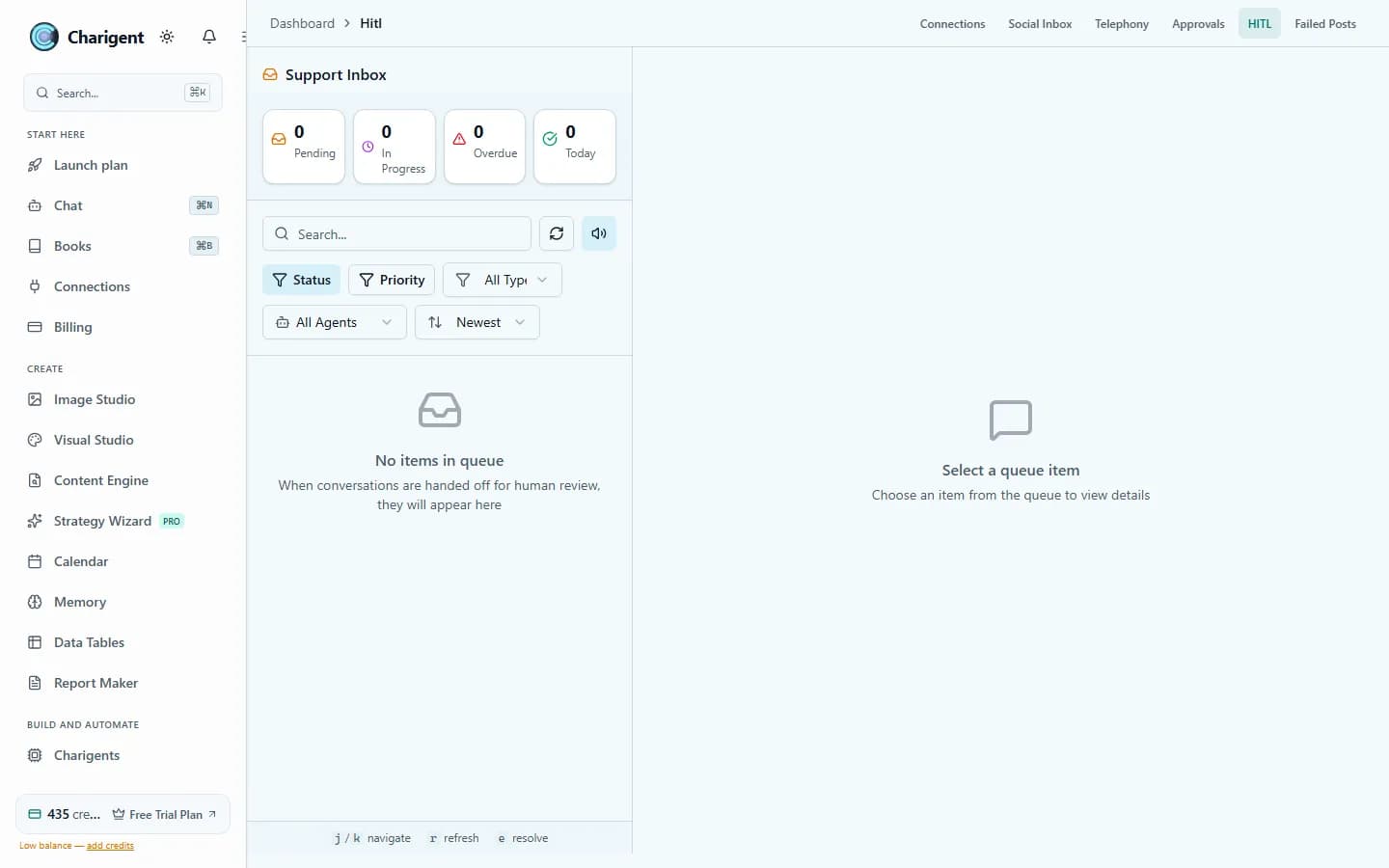
An illustrated workflow overview beside a real Charigent interface capture. Exact controls and availability vary by plan.

14
kinds of supported channels
Optional
Memory when a person can be safely matched
Human
Website handoff when a person is needed
1
Charigent you can reuse across supported channels
What makes it work
The pieces that carry the workload
Charigents
Answer from your product facts, policies, FAQs, and guides. Do not make the Charigent guess.
Deploy Anywhere
Use a Charigent in website chat, team apps, messages, connected software, and voice. Your plan and setup decide what is ready.
Social Media
See support questions from public comments and direct messages in one inbox.
Support Inbox
Let a website visitor ask for a person and reply without losing the earlier chat.
Business Builder
Plan tasks and set up help across your channels.
Who it fits
Built for teams that want fewer tabs and faster follow-through
SaaS support
Answer onboarding and product questions on your site. Move account-specific website questions to a person when needed.
Ecommerce operations
Answer questions before a sale, share shipping news, and follow up without sending the buyer back to one place.
Service businesses
Use web chat, text, and inbox replies for bookings, reminders, updates, and customer help.
How it works
A simple path from setup to steady output
Add the answers you trust
Give Charigent the facts, files, and rules it should use for each answer.
Add it where people talk
Start with your busiest place. Add text, email, voice, or messages when they help.
Send hard website chats to a person
A website visitor can ask for a person. Your team gets the earlier chat in the Support Inbox. Other places use their own connected service.
Pricing fit
Starter lets you build answers from your own information. Your plan and service setup decide which messages, calls, and connections are ready. Business can do more within your rules, connect supported outside AI accounts through BYOK at 7% of estimated provider cost, with a $0.001 minimum per user-facing AI request, and add developer access.
FAQ
Frequently asked questions
What is multi-channel customer support?
Do I have to set up each channel separately?
Can I see messages from every channel in one place?
Can a person take over a conversation?
Does the Charigent keep context when a customer switches channels?
Which plan do I need for multi-channel support?
Start with one workflow. Expand when it proves itself.
Review current trial availability, compare plan-level access, and begin with a representative workflow you can test.
Request access