The AI Knowledge Base That Grounds Answers in Your Own Sources
Turn your own documents and URLs into a searchable AI knowledge base that finds useful passages by meaning, not only exact keywords. Connect it to a Charigent and bring relevant source context into answers when it is available.
Registration is currently closed · Request an access update by email · Review plan terms before joining
Product proof
See knowledge grounding in action
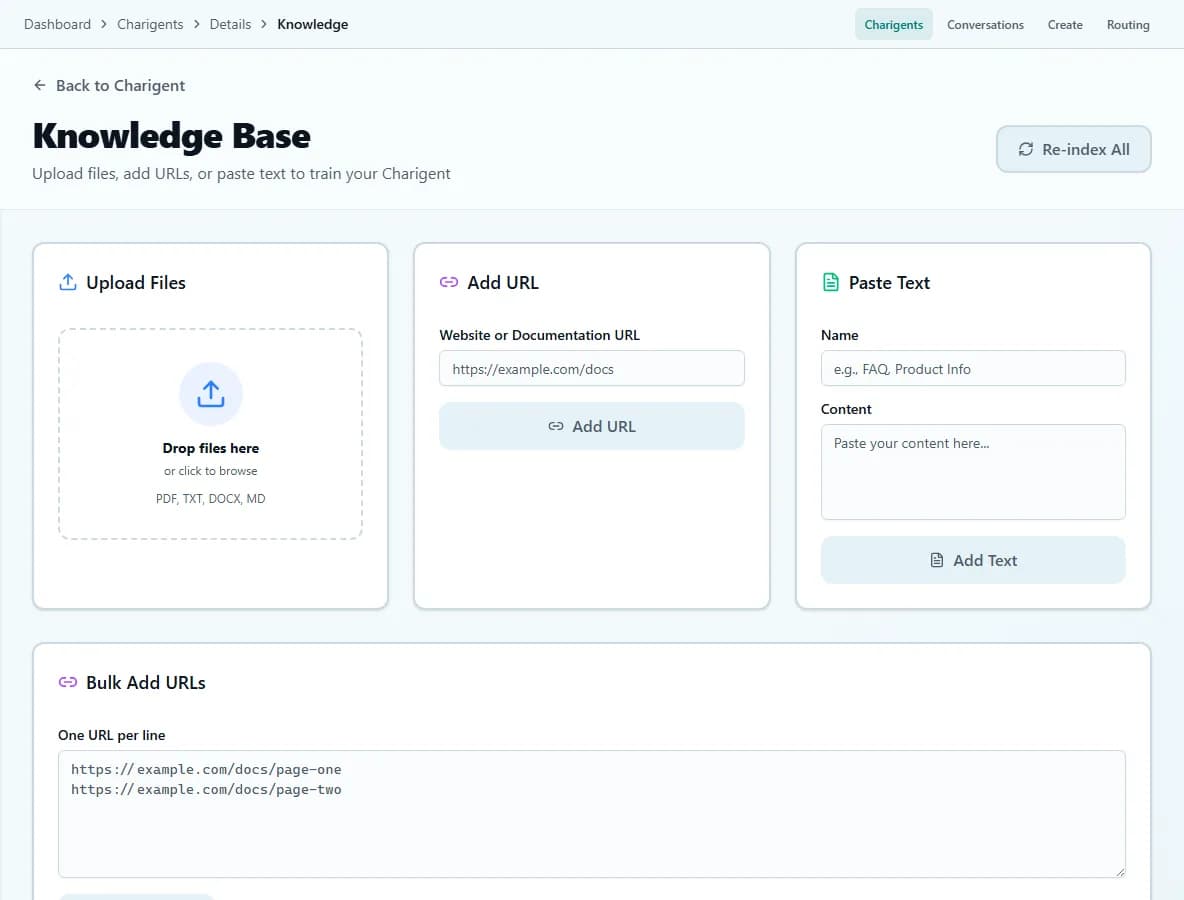
An illustrated workflow overview beside a real Charigent interface capture. Exact controls and availability vary by plan.

The problem
Traditional knowledge bases fail your team
Exact-word search can miss the answer
Search for "refund" and get 400 articles, but none answer the question. Charigent can also find related ideas by meaning.
Knowledge lives in silos
When source material is spread across tools, finding and reusing an approved answer takes unnecessary effort.
Generic assistants lack your context
A managed knowledge base gives a selected Charigent relevant product and policy material to retrieve from.
How it works
Three clear steps from sources to answers
Add your source material
Upload documents, paste URLs, or connect supported sources. Processing time varies with the amount and type of content.
Charigent organizes it by meaning
The platform breaks content into searchable passages so relevant context can be found even when a question uses different words.
Search or train an agent
Search your knowledge base directly, or attach it to a Charigent that answers questions for your users.
Add supported sources
Bring in supported documents, web pages, and plain text. Charigent prepares that information so it can be searched.
Search by meaning
Find related ideas even when the question does not use the exact same words.
Neural Memory
Find useful information across the documents you added.
Teach a Charigent
Connect saved information to a Charigent so it can use the most helpful passages while answering.
Useful matches first
Charigent places the most likely matches first. Speed depends on how much information you added and whether connected services are healthy.
Reviewable source context
When retrieved context is available, inspect the supporting source passages and compare the response with the material you added.
Upload a real document and see what it finds
Add one source you trust, ask it a hard question, and check the source passages behind the answer.
Request accessExplore the underlying features
FAQ
Frequently asked questions
What is a knowledge base in AI?
What is the best AI knowledge base?
How is a managed knowledge base different from one-off file chat?
Stop losing knowledge. Start finding answers.
Check current trial access, add a useful sample of your information, and test what Charigent can find before relying on its answers.