Build a no code AI agent with visual workflows.
Build a no code AI agent with Charigents, visual workflows, webhooks, and voice tools. REST API access and BYOK require Business. The catalog includes more than 300 connections.
Join the private launch waitlist to request access. Existing members can sign in.

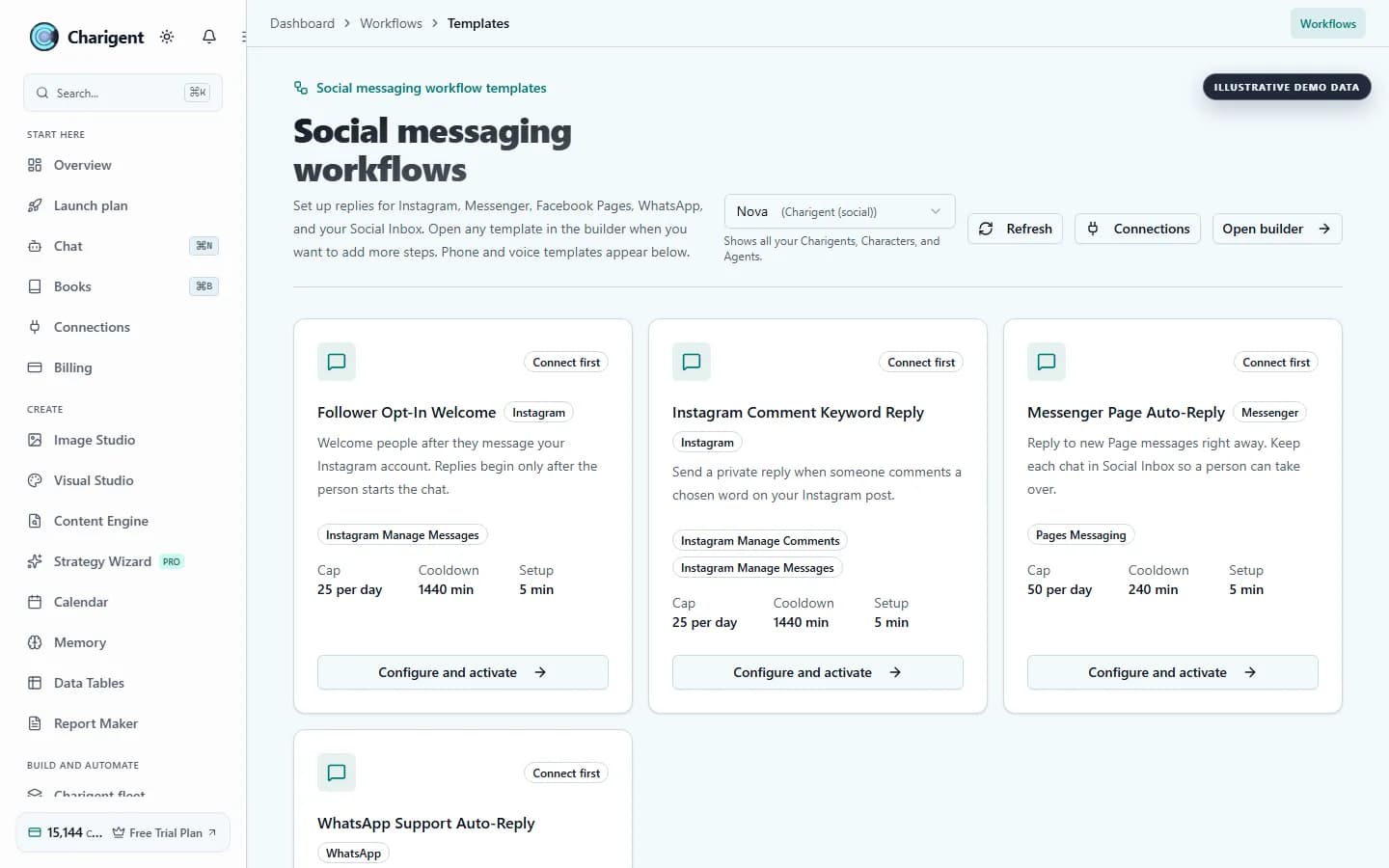
The developer problem
Building AI features shouldn't take months
Integration plumbing delays the product
Model calls, retrieval, orchestration, persistence, and monitoring can turn one product idea into several systems your team must maintain.
Managing multiple API keys is a security risk
Keys scattered across local files, environments, and services make access reviews, rotation, and provider-level cost tracking harder.
No visual workflow tooling
When every branch, condition, and retry is hard-coded, even a small workflow change can require engineering time and a new deployment.
Platform capabilities
The AI building blocks you actually need
Charigent Builder
Build Charigents with your own knowledge base. Programmatic REST API access is available on Business.
Flow Builder
Visual drag-and-drop automation canvas. 33 node types, conditional branching, and webhook triggers.
Chat Widgets & Embeds
Embed a Charigent with a script tag and configure supported visual and behavior settings. Website widgets require Pro.
BYOK Support
BYOK, which lets you connect supported AI service keys for a 7% platform fee based on estimated provider cost, is available on Business. Each user-facing AI request has a $0.001 minimum. Voice and SMS use 7% of provider cost with no AI minimum.
Webhooks
Subscribe to Charigent events, flow completions, and generation results. Build event-driven AI workflows.
Voice AI
Add real-time voice sessions to eligible Charigents. Voice access begins on Pro, with premium voice and cloning capabilities on Business.
Simple REST API
Call your Charigent from an application
// Query your Charigent via API
// Note: /api/rag-agent/ is the current path for this endpoint.
const response = await fetch('/api/rag-agent/chat/your-agent-id', {
  method: 'POST',
  headers: {
    'Content-Type': 'application/json',
    'X-API-Key': 'your-api-key',
  },
  body: JSON.stringify({
    message: 'How do I reset my password?',
  }),
});

const reply = await response.text();
Call this AI API for developers from your own app.
Wire up the endpoint above, then build the rest of your workflow around it.
Request accessJoin the private launch waitlist to request access. Existing members can sign in.
See it in action
The real product, not a mockup
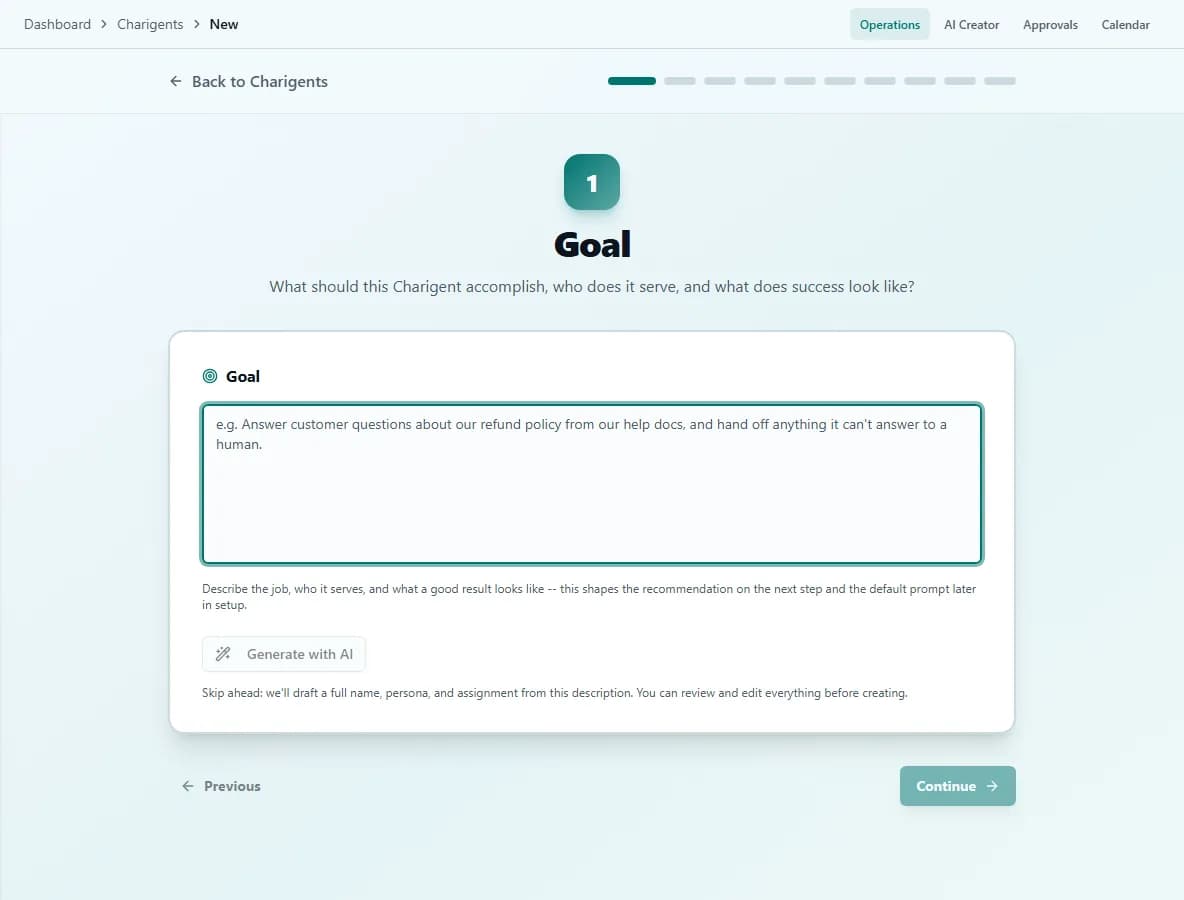
Workflow
Move from a Charigent to a connected workflow
Create your Charigent
Upload knowledge and configure model and routing options in the UI; Business can use the REST API.
Build your flow
Chain AI nodes, webhooks, conditionals, and integrations in the visual canvas.
Deploy & iterate
Connect plan-eligible widgets and webhooks or call the REST API on Business, then version and refine your flows.
FAQ
Frequently asked questions
Does Charigent have a REST API?
Can I bring my own OpenAI or Anthropic key?
What is Flow Builder?
Can a flow call my own services?
How do I embed a Charigent in my own product?
Can I limit what an agent is allowed to do?
Stop stitching APIs. Start building.
Start in the visual workspace, then use Business when you need programmatic API access or BYOK.
Request access