The AI Chatbot for Website Visitors Who Want a Straight Answer
Turn the documentation you trust into an AI chatbot for your website. Match it to your brand, test the answers before launch, and give visitors a useful next step without rebuilding your site.
Registration is currently closed · Request an access update by email · Review plan terms before joining
Product proof
See website assistant in action
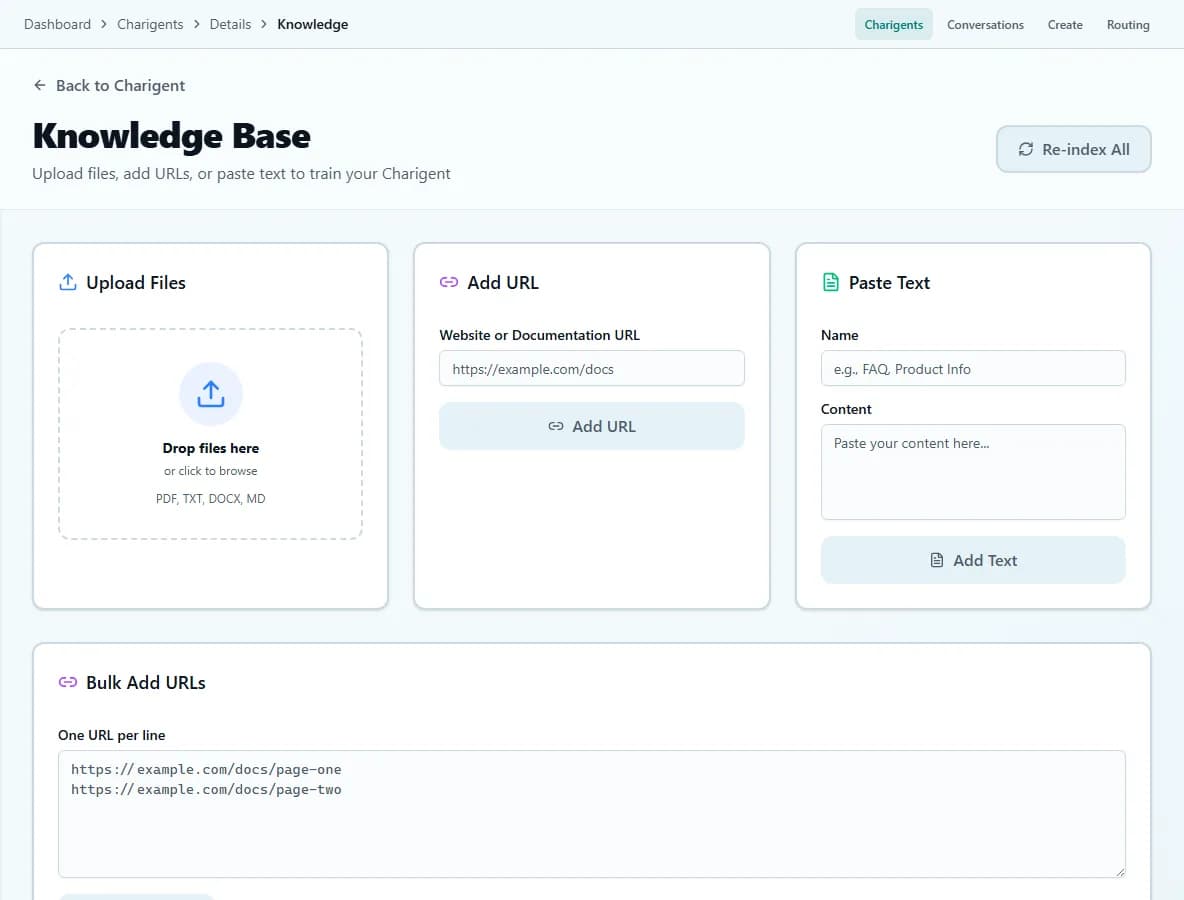
An illustrated workflow overview beside a real Charigent interface capture. Exact controls and availability vary by plan.

Setup in 3 steps
From source material to a tested chatbot
Add the information it should know
Bring in supported FAQs, product pages, support articles, and documents. Charigent prepares them so it can find useful details later.
Customize the widget
Match your brand. Choose colors, avatar, greeting message, and behavior. No design skills needed.
Add the embed script
Paste the embed snippet into a supported site that permits third-party scripts, including common WordPress, Webflow, and Shopify setups.
What you get
A chatbot grounded in your business content
Grounded in your content
Give your chatbot the documents, URLs, and instructions it should use so answers stay relevant to your business.
Widget style controls
Choose from available color, logo, font, greeting, and placement controls. Branding options vary by plan.
Script-tag embed
Copy the generated script tag into a supported site. A CMS-specific plugin is not required.
After-hours FAQ coverage
Keep a configured assistant available for repeat questions outside your staffed support hours.
Configured routing & handoff
Add routing rules and human-handoff paths for questions that should leave the automated flow.
Answers based on your sources
Charigent finds useful parts of the content you uploaded and uses them while answering. Test the result before launch.
Works with
Compatible with major website platforms
Test the chatbot on your own content before it ever meets a visitor
Upload a real document, ask it hard questions, and see the answers before you embed anything.
Request accessFAQ
Frequently asked questions
How do I create an AI chatbot for my website?
What is the best AI chatbot for websites?
Is there a 100% free AI chatbot?
Can I train the chatbot on my own content?
Add a chatbot to your website today
Check current trial access, test the assistant with your content, and choose a plan that supports public website chat.
Request access