The White Label AI Chatbot for Your Brand, Not Ours
Create a white label AI chatbot with your colors, logo, and trusted files. Choose which customer sites may show it. It is made for agencies and software teams that want chat under their own brand.
Registration is currently closed · Request an access update by email · Review plan terms before joining
Product proof
See branded deployment in action
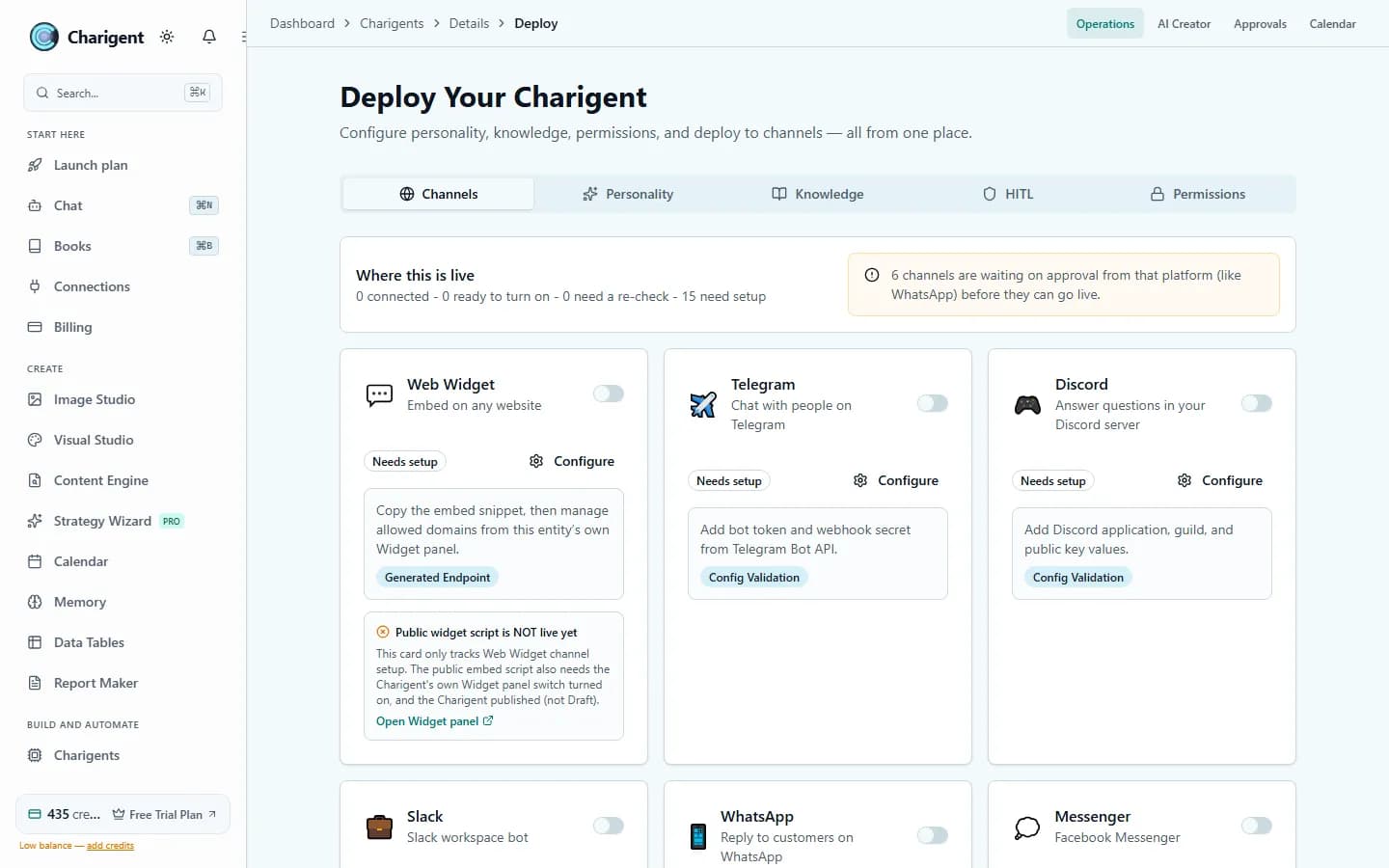
An illustrated workflow overview beside a real Charigent interface capture. Exact controls and availability vary by plan.

Who it's for
Built for builders and agencies
Digital agencies
Offer chat under each client's brand. Keep that client's files and chat settings in order.
SaaS products
Add an AI assistant to a supported product without building the chat window and document search yourself.
Enterprise teams
Create company-branded assistants. On Business, you can connect supported AI service accounts for BYOK at 7% of estimated provider cost, with a $0.001 minimum per user-facing AI request.
Setup
Set up, test, and embed in three steps
Create your Charigent
Name it, choose how it should sound, and add the files it should use.
Match and test the chat
Choose the colors, logo, greeting, and place on the page. Test it before you share it.
Approve a website
Add the customer site to your approved list, then install the code on that site.
Match the chat to your brand
Use your logo, colors, and fonts so website chat feels like part of your product or client site.
Choose where it can appear
Keep a public chat window limited to the customer-facing sites you approve.
Answers from your content
Add product guides, FAQs, and help articles so Charigent can find useful facts for each chat.
Use your own AI service account
Business can connect supported outside AI accounts. Charigent charges 7% of estimated provider cost for user-facing AI BYOK requests, with a $0.001 minimum, and keeps its normal safety limits.
Add it to supported sites
Copy the code into a site that allows outside chat tools.
Keep many Charigents in order
Manage many chatbots from one dashboard. Make one for each client, product, or job.
The underlying features
Brand one chatbot before you roll it out to every client
Set the colors and logo, test it on one approved site, and confirm it reads as yours before scaling to more clients.
Request accessBusiness Plan
$149/month
Includes your own branding, supported outside AI accounts, more work within your rules, and developer access.
FAQ
Frequently asked questions
Can I put my own branding on the chatbot?
Can I run a separate chatbot for each client?
Where can the chatbot be embedded?
How many chat widgets does each plan include?
Can I use my own AI provider account?
What does the chatbot base its answers on?
Your name on it. AI power behind it.
Check the current trial, set up the chat, and test it on an approved customer site before launch.
Request access