Your AI Social Media Manager, Without Living in the Scheduler
Choose your brand voice, plan posts, make images, review the work, and set a schedule in one place. Keep follow-up close when a customer moves from a post to a private message.
Product proof
See social publishing in action
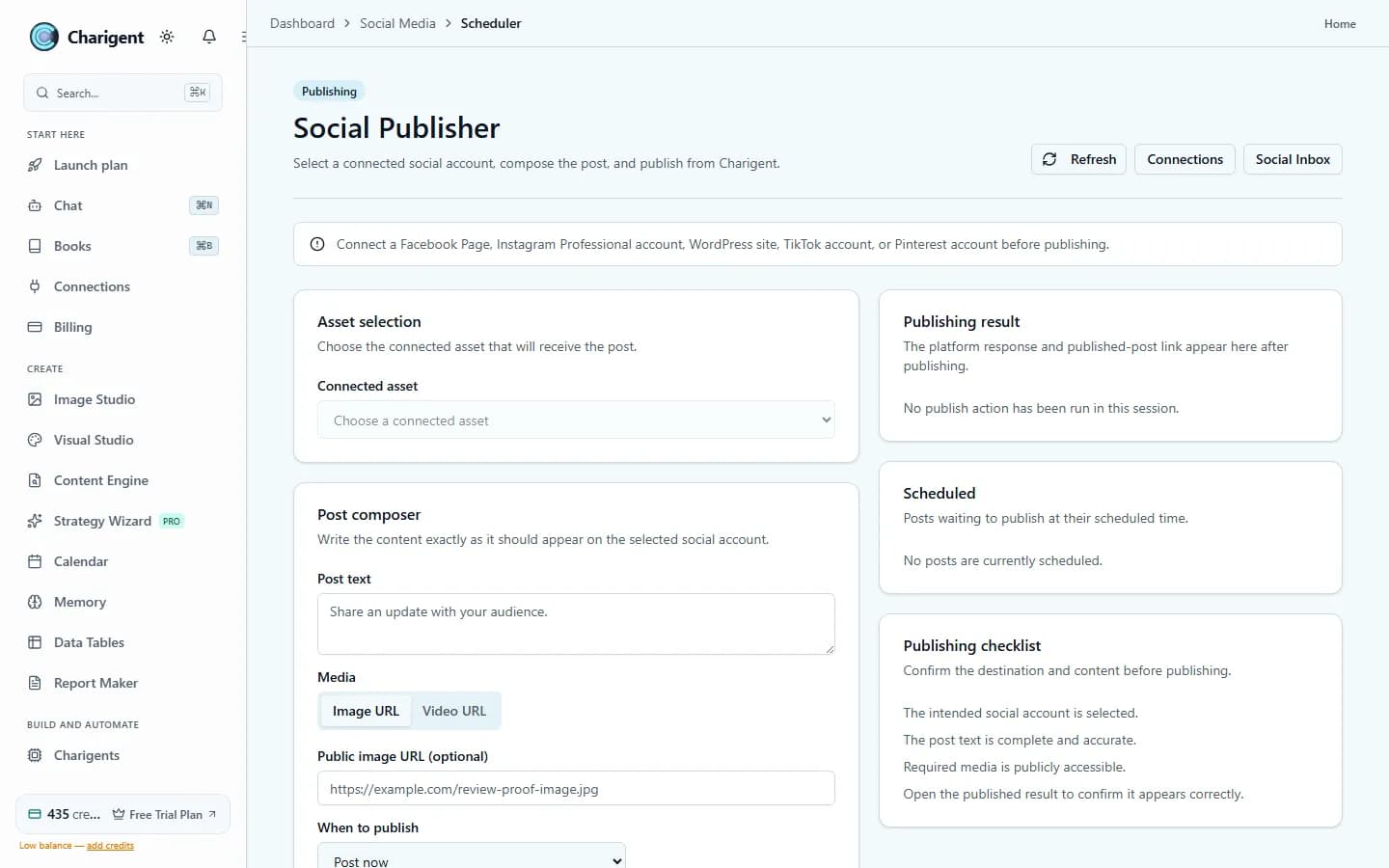
An illustrated workflow overview beside a real Charigent interface capture. Exact controls and availability vary by plan.

Review
Human approval remains available
3
Autopilot modes as trust grows
14
kinds of supported channels
1
Place instead of scattered tools
What makes it work
The pieces that carry the workload
Charigent Autopilot
Start by reviewing every post. Later, allow approved scheduling or more automatic work after the results earn your trust.
AI Creator
Turn one sentence into a clear voice, main topics, sample posts, and a look for your brand.
Deploy Anywhere
Keep social posts close to direct messages, web chat, text, email, and voice when the conversation moves.
Social Media
Plan posts, use one inbox, and shape each post for its social account from one place.
Who it fits
Built for teams that want fewer tabs and faster follow-through
Founder-led brands
Stay visible every week without letting social work eat the time you need for sales, delivery, and product.
Agencies managing multiple accounts
Use the same clear steps while keeping each client voice, review rules, and content plan separate.
Operators who want social tied to service
Keep posts, replies, follow-up, and help together as one customer conversation.
How it works
A simple path from setup to steady output
Set the voice and Brand Kit
Give Charigent the tone, goals, visual direction, and rules it should follow in every post.
Choose how review works
Review every post at first. Allow set posting times only after the work feels steady.
Let Charigent handle repeat work
Spend your time on ideas, review, and results instead of writing the same kinds of posts again.
Pricing fit
Starter keeps a person in control of Autopilot and AI Creator. Pro adds more AI choices, connected posting, inbox work, and managed text messages. Business can do more within your rules, connect supported outside AI accounts through BYOK at 7% of estimated provider cost, with a $0.001 minimum per user-facing AI request, and add developer access. Each outside service still needs its own setup.
FAQ
Frequently asked questions
Can AI manage my social media?
How much is an AI social media manager?
Is AI replacing social media managers?
Start with one workflow. Expand when it proves itself.
Review current trial availability, compare plan-level access, and begin with a representative workflow you can test.
Request access