The AI Image Editor That Changes Only What Needs Changing
Charigent's AI image editor turns your words into an image. On Pro, you can change one part without starting over. Make social posts, covers, early ideas, and ad images beside the work they support.
Registration is currently closed · Request an access update by email · Review plan terms before joining
Product proof
See image creation in action
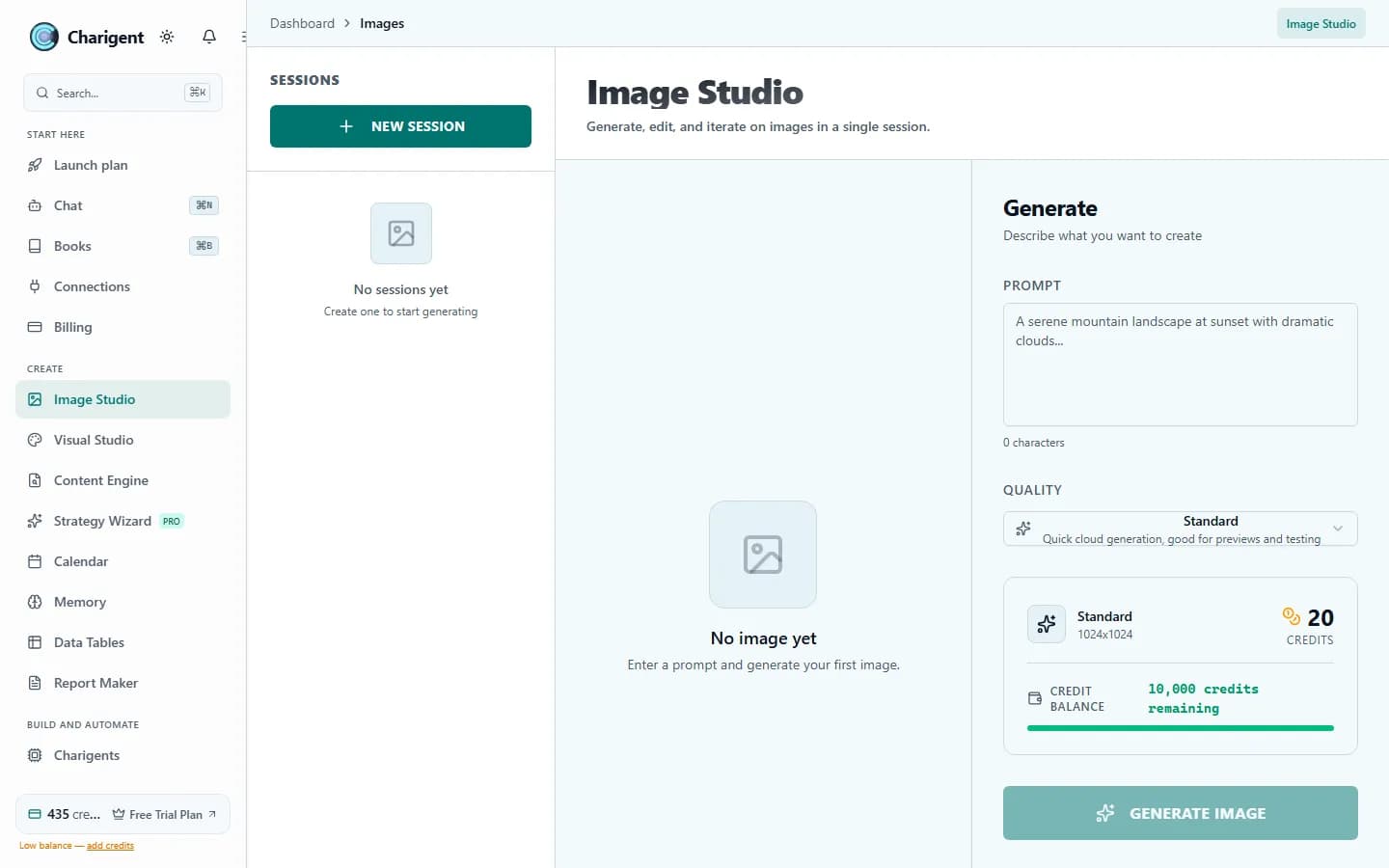
An illustrated workflow overview beside a real Charigent interface capture. Exact controls and availability vary by plan.

The problem
Great images shouldn't require a design team
Traditional editors take time to learn
Sometimes you need one quick change without learning a full design app.
Stock photos look fake
Stock photos can look bland or need more work before they fit your brand.
Manual editing kills time
Hours cropping, masking, and retouching — for images that still miss the mark.
Image Studio
Simple controls to create and change images
Create at several quality levels, then use Pro or above to change one area without starting over.
Generate from text
Describe what you want and create a strong starting image. Time varies by the chosen quality and how busy the image service is.
Change one area
On Pro or above, mark one area and say what should change. Review the new version and try again if needed.
Multiple quality levels
Choose Standard, Enhanced, or Premium quality. Charigent shows the credit cost before creating the image.
Visible generation status
Follow the progress while the image is created. Time varies by quality, how busy the service is, and how complex the change is.
Try one real edit before you compare quality tiers
Generate an image, review the credit cost, and see the result before deciding which tier fits your work.
Request accessPricing per image
Pick your quality tier
Review the visible credit cost before choosing a quality level.
AI Image Engine
Standard
20 credits/image
Fast visual drafts and routine content assets
All plans
AI Image Engine
Enhanced
60 credits/image
More detail for ads and brand images
Starter and up
Premium AI Engine
Premium
536 credits/image
Fine detail for final images and key ideas
Pro and up
FAQ
Frequently asked questions
Can I edit an existing image instead of generating a new one?
What image quality levels are available?
How much does each AI image cost?
How long does an image take to generate?
Can I keep earlier versions of an image?
Where can I use the images afterwards?
Create without the traditional editing-suite learning curve
Check current trial access, compare quality levels, and see the credit cost before creating each image.
Also available: See all use cases